
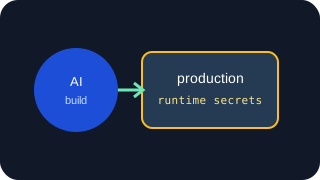
Production credentials should be supplied through a controlled deployment or runtime process, scoped to the application’s actual job, and kept separate from the credentials used to build and test it.
Do not deploy by copying your local .env file and hoping every value belongs in production. Review each credential, decide where it should live, and confirm what it allows before the application starts handling real customers, payments or data.
An app built with Codex, Claude Code, Cursor or another AI-assisted workflow has the same runtime obligations as any other app. The additional consideration is development-tool access: a workspace-enabled agent may be able to read files and execute commands within its permitted environment. It generally does not need production authority to help you build the application.
1. Inventory what the application actually uses
Start with a list of sensitive configuration names, not a document containing all their values.
For each item, record:
- the provider or service;
- its purpose;
- whether it belongs to development, staging or production;
- which process uses it;
- where the value is stored;
- how to replace or revoke it.
Include background workers, scheduled jobs and deployment scripts. A web application may use one database account while a nightly export uses another. Both need to be accounted for.
Separate secrets from ordinary configuration. A region name, public application URL or Stripe publishable key is not equivalent to a database password or Stripe secret key. Keeping that distinction clear makes review and recovery easier.
Also identify temporary setup credentials. An AWS identity used to create resources may need more permissions than the identity used to send email afterward. The setup identity should not quietly become the application’s permanent runtime credential.
2. Separate development, test and live access
Use distinct credentials for distinct environments wherever the provider supports them.
For example:
| Integration | Development or staging | Production |
|---|---|---|
| Payments | Provider test mode and test key | Live key with required permissions |
| Capture mailbox or isolated test sending | Authorised production sending identity | |
| Storage | Test bucket or restricted test prefix | Required production bucket and operations |
| Database | Development database and account | Production database account |
| AI API | Separate project or restricted development key | Production key with appropriate limits |
Some providers do not offer a true sandbox. In that case, isolate resources, recipients, quotas and permissions as far as practical. A development credential may still incur charges, so “test” does not mean consequence-free.
Environment separation must also exist in the application. Set the environment explicitly and reject incompatible configuration. Do not fall back to a live key when a test key is missing.
Where useful, validate identifiers without printing secrets: expected account, bucket, database hostname or payment mode. A missing production variable should produce a clear startup or health-check failure, not silently select a developer default.
3. Do not promote local configuration wholesale
A local .env file often contains accumulated experiments: old keys, debugging flags, localhost URLs, test webhook secrets and credentials copied from another project.
Treat production configuration as a separate reviewed set.
Commit a configuration template containing required names and safe examples. Supply real production values separately. Before deployment, check that:
- required values are present;
- test endpoints and local callback URLs are gone;
- debugging is disabled;
- credentials match the intended provider account;
- workers and scheduled tasks receive the correct configuration too.
An uncommitted .env file is reasonable for local development. It separates configuration from code, but does not independently prevent tools or processes with filesystem access from reading it.
Does putting an API key in .env make it secure?
For a traditional server using a production configuration file, keep it outside the public web root, restrict operating-system permissions, and exclude it from source archives and public downloads. A dot-prefixed filename alone is not protection.
4. Grant minimum runtime permissions
Work backward from the operations the application performs.
If it sends SES email, grant the required sending actions rather than AWS administration. If it stores customer uploads, restrict access to the intended bucket and operations. If it reads a reporting database, it should not normally receive schema-management permissions.
Use separate credentials for deployment and runtime. Database migrations may require permissions the normal web process does not need. Infrastructure provisioning may require resource creation, while the running application only needs access to existing resources.
Do not make runtime permissions broader merely to avoid diagnosing an access error. Identify the missing action or resource and add that permission deliberately.
Provider restrictions and application scopes are separate controls. A relay may permit an application to use email, while the underlying AWS policy determines what the relay’s credential can do. Both should fit their respective jobs.
5. Choose how production receives its secrets
Deployment-platform secret stores
For a small application on one hosting platform, the platform’s secret settings are often enough.
Store production values there and let the platform supply them to the application. Review who can view, change or deploy with those values, and enable strong account authentication.
Check whether each value is available at build time, runtime or both. A server-side secret needed only for runtime API calls should not be exposed to the build unnecessarily. Framework conventions that publish selected environment variables to browser bundles require particular attention.
Changing a platform secret may require a restart or redeployment. Know which operation makes the new value active.
Dedicated secret managers
A dedicated secret manager becomes useful when several workloads, environments or operators need controlled access, central rotation, versioning or retrieval records.
Prefer workload identities or narrowly scoped access tokens. Giving every application one all-access secret-manager token undermines the separation you intended to create.
Decide when the application retrieves values and what happens if retrieval fails. Startup retrieval reduces repeated calls but requires a reload strategy for rotation. Runtime retrieval offers fresher values but creates an ongoing dependency. Caching can help, provided its lifetime and failure behaviour are explicit.
One small app does not need a secret manager simply to qualify as production-ready. Use it when its access and lifecycle controls solve an actual operating problem.
Where should application secrets live?
6. Decide whether the app needs the provider credential
If the application calls a provider directly, it normally needs the credential at runtime. An AI service using streaming responses may sensibly retrieve its provider key and open the connection itself. A database client needs the authority required to authenticate its connection.
A secret manager does not make that credential invisible to the authorised application. It manages storage and retrieval. Once retrieved, the value exists within the application’s runtime boundary.
Sometimes the application only needs a provider operation.
An app sending transactional email may need permission to submit a message rather than possession of AWS credentials. An app handling uploads may need a short-lived S3 presigned URL rather than a permanent AWS key.
A credentialed relay can hold the provider credential, authenticate the application, authorise its requested operation and call the provider. Gateman uses this model for supported provider operations. For example, email.send uses authenticated POST /send/ses with the application’s message payload and required environment; the email.send scope controls admission, non-production captures locally, and production uses Gateman’s configured provider credential. The official PHP, Node.js, Python and Go clients can inject the environment so the same production-intended application code can run across environments. Gateman also has a separate authorised generic-secret retrieval path when direct provider access makes more sense; see the credential retrieval contract.
The application’s relay credential still needs protection. The benefit is separation of authority and provider-key possession, not the disappearance of sensitive configuration. A relay adds latency and a runtime dependency; use it where that trade is worthwhile.
7. Keep production authority out of coding sessions
Do not give a development agent production credentials merely because it is helping prepare the deployment.
Use placeholders, configuration names and test credentials to implement the integration. Add live values through the production deployment process afterward.
If a coding session genuinely needs production access for a specific task, make that access deliberate, narrow and temporary where possible. Review its filesystem and command permissions. Avoid a general shell environment containing unrelated live credentials.
Do not paste full production configuration into prompts. Most integration problems can be diagnosed using the variable names, provider error codes and redacted request details.
AI coding agents and API credentials
8. Check logging and error output
Disable public debug pages and development exception rendering. Customers should receive a controlled error response, while operators receive enough information to diagnose the failure.
Check for:
- whole-environment or configuration dumps;
- logged
Authorizationheaders; - database connection strings containing passwords;
- provider client objects printed during debugging;
- secrets embedded in command output;
- error trackers automatically collecting sensitive context.
Log the operation, error category, provider request ID and relevant non-secret identifiers. Redact sensitive fields before they leave the application, rather than relying solely on the log service to recognise them.
Test this by triggering a failed provider request and inspecting the resulting application response and private logs. Do not use a real secret as a logging test marker. A distinctive fake value can show whether redaction works without exposing production access.
9. Review CI/CD exposure
CI/CD is another environment with credentials and executable code. Treat it accordingly.
Separate build, deployment and runtime secrets. A job compiling frontend assets generally does not need the production database password. A deployment job may need platform access but not every provider key used by the application.
Restrict which branches, environments and jobs receive sensitive values. Do not make production secrets available to untrusted pull-request code. Review third-party actions and scripts that run inside privileged jobs: they execute with whatever access the job grants.
Avoid shell tracing around secret-handling commands. Masking is useful, but transformed values, encoded strings and credentials inside files may escape simple masking rules.
Inspect build artifacts and container images. Do not copy .env into an image or bake a runtime key into generated assets. Removing a secret in a later image layer does not necessarily remove it from earlier layers.
10. Treat webhooks as a separate credential flow
The outbound API key and inbound webhook signing secret are different credentials with different purposes.
A provider API key authorises calls to the provider. A webhook secret lets your application verify that an incoming delivery was signed using the expected secret. Keep test and live webhook configuration separate, including secrets created by local testing tools.
Follow the provider’s verification requirements. Signature verification commonly depends on the original request bytes, not a parsed and re-serialised version. Reject invalid signatures before processing the event.
Valid signatures do not solve duplicate delivery. Make event handling idempotent so retries do not repeat fulfilment, credit balances twice or send duplicate messages.
If an intermediary receives provider webhooks and verifies them, the downstream application must verify the intermediary’s authenticated delivery instead. Do not assume the original provider signature remains meaningful after the payload or delivery mechanism changes.
Document who holds each signing secret and which component verifies each hop.
11. Make rotation an executable procedure
“We can rotate keys” should mean you know the sequence.
For providers supporting overlapping credentials:
- Create the replacement with the intended permissions.
- Store it through the production secret path.
- Reload or redeploy every affected process.
- Confirm real operations use the replacement successfully.
- Revoke the old credential.
- Remove obsolete stored versions according to your retention policy.
Where overlap is unavailable, plan for the provider’s specific transition and possible interruption. Webhook secret rotation may need its own overlap window and verification changes.
Include workers, scheduled jobs and stale deployments. A successful web request does not prove every process stopped using the old key.
Do not silently fall back to an obsolete credential if the replacement fails. Diagnose the configuration or permissions problem instead.
12. Plan configuration recovery and clean up leftovers
A database backup does not necessarily include the secret settings needed to run the restored application.
Keep a recoverable record of configuration names, service accounts, resource identifiers and where secrets are managed. If values need a separate backup, protect that backup with appropriate encryption and access controls. Do not place a plaintext secret archive beside an ordinary source backup.
Know how encryption keys and recovery access are preserved. Encrypted credentials are not recoverable if the required decrypting authority is lost. Keep a recovery path that does not depend entirely on the failed application or one laptop.
Test recovery by bringing up an isolated deployment with the correct configuration, without contacting live customers or performing production writes accidentally.
Finally, remove credentials left by development: abandoned provider keys, temporary setup users, old webhook endpoints, unused CI tokens and test secrets copied into production settings. Confirm they are unused before revoking them, then remove both the provider-side authority and obsolete local references.
Minimum acceptable setup for a small app
For one small app on one platform, a reasonable baseline is:
- separate development and production credentials and resources;
- production values outside source control and local coding workspaces;
- platform-managed secrets, or a properly restricted server configuration file;
- permissions limited to the application’s runtime job;
- no secret values in browser bundles, public errors or logs;
- CI jobs receiving only the credentials they need;
- verified webhooks with duplicate-safe processing;
- a documented rotation and configuration-recovery procedure;
- unused setup and test credentials removed.
You do not need to build an enterprise secrets platform to achieve this. You need a configuration path you understand and can operate reliably.
Credential handling is only one part of launch readiness. Authentication, authorisation, data validation, migrations, backups and failure handling also need review.
Before launch, confirm three things for every production credential: why the application needs it, exactly what it permits, and how you will replace or recover it. If those answers are clear, the setup is manageable. If they are not, resolve them before live traffic makes configuration experiments expensive.