
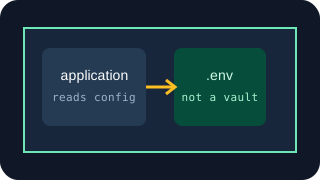
A .env file helps keep secrets out of source code and source control when used properly. It does not stop the running application, a local process, developer tooling or anything else with access to that environment from obtaining the credential.
Why .env exists
Applications need configuration that changes without changing the application itself. A database hostname may be different on a laptop, a staging server and the production server. The same applies to API keys, feature flags, mail settings and application URLs.
Instead of writing those values into the code:
$stripe = new StripeClient('sk_test_123456');
the code reads a named environment variable:
$stripeKey = getenv('STRIPE_SECRET_KEY');
if ($stripeKey === false || $stripeKey === '') throw new RuntimeException('STRIPE_SECRET_KEY is required');
$stripe = new StripeClient($stripeKey);
The application can now run in different environments without editing the source. Each environment supplies its own value for STRIPE_SECRET_KEY.
A .env file is one convenient way to supply those values, especially during local development:
APP_ENV=development
STRIPE_SECRET_KEY=sk_test_123456
A dotenv library reads the file and makes the values available to the application. The exact mechanism varies by language and framework, but the result is the same: configuration is kept separate from the code that uses it.
What problem does .env solve?
Used properly, .env solves three problems.
First, the API key is no longer hard-coded into a PHP, JavaScript or Python file. The code can be reviewed, copied and deployed without carrying the credential inside it.
Second, each environment can use different configuration. Your laptop can use a Stripe test key while production uses a live key. Staging can send email to a capture mailbox while production sends through the real provider.
Third, the application gets a standard way to load configuration. Code refers to stable names such as DATABASE_URL or OPENAI_API_KEY rather than knowing where each value came from.
The value is still available to the application.
Environment variables and .env files are not the same thing
The terms are often used as though they mean exactly the same thing.
An environment variable is a value available in a process environment. It may be set by the operating system, a shell, a container platform, a hosting dashboard, a process manager or some other deployment system.
A .env file is a plain-text file, usually containing NAME=value lines. A library or framework reads that file and loads the values for the application.
So this:
export STRIPE_SECRET_KEY=sk_test_123456
php app.php
and this:
STRIPE_SECRET_KEY=sk_test_123456
may give the application the same value, but the value arrived differently. In the second case, it exists in a file on disk. In the first, it may have come from a shell profile, deployment system or parent process.
The application still needs a way to read the value.
Why .gitignore matters
A .env file only stays out of git if git is told to ignore it.
A common setup is:
.env
.env.*
!.env.example
The project then includes a safe example showing which variables are required:
STRIPE_SECRET_KEY=
DATABASE_URL=
The real file stays local. The example file can be committed because it contains names and documentation, not credentials.
There is an important detail: adding .env to .gitignore does not remove a file that has already been committed. Git continues tracking it. The file must be removed from tracking, and any credential that entered repository history should normally be replaced because deleting the latest copy does not erase old commits or existing clones.
Also check the actual filename. Ignoring .env does not necessarily ignore .env.production, .env.local or a copied file called old.env. Keep the ignore rules aligned with how the project is structured.
.env is not a security boundary
Calling .env “insecure” is too crude. Treating it as an access-control system is also wrong.
A security boundary separates something that may access a resource from something that may not. A plain-text .env file generally does not create that separation inside the same user account or application environment.
If your PHP process can load the file, application code running in that process can read the key. If a terminal tool runs under the same account and has access to the project directory, it may be able to read the file. If a debugging page prints the environment, the value may appear there. If a backup or file-sync tool copies the project directory, it may copy .env too.
File permissions still matter. A file readable only by the application’s operating-system user is better controlled than one readable by every account on the server. But once a process is authorised to act as that user, the filename .env provides no additional restriction.
Changing .env to .secrets, placing it one directory higher or using an obscure variable name does not create a meaningful boundary.
What can still read the credential?
Depending on the setup, the credential may be available to:
- the application itself;
- other code running inside the application process;
- shell commands run under the same user;
- deployment scripts and process managers;
- debugging and error-reporting tools;
- workspace-aware editors and AI coding tools;
- administrators with access to the machine or hosting account;
- malware or a compromised dependency running with sufficient access.
This does not mean all of those things will read the key. It means .env does not independently prevent them from doing so.
For example, asking an AI coding assistant to diagnose why Stripe configuration is failing may cause it to inspect the loading code, the project files and command output. If .env is within its permitted workspace, .gitignore does not necessarily stop the tool reading it. Git ignore rules control version tracking; they do not universally control editor, terminal or agent access.
AI coding agents and API credentials
The application may legitimately need the key
If your server-side application calls a provider directly, it needs some form of authority to make that call.
Suppose the application creates a Stripe PaymentIntent. It sends an HTTPS request to Stripe with a secret key in the Authorization header. Whether the key began in .env, a hosting platform’s secret settings or a dedicated secret manager, the application eventually receives it and places it on the request.
That is normal. The key should remain on the server, not browser JavaScript, but the server-side process must be able to use it.
The same applies to an application calling an AI API directly. Retrieving the key from a secret manager does not change the fact that the application has the key at runtime. The secret manager may improve distribution, rotation, permissions and auditability, but it does not make the credential invisible to the process that retrieves it.
Development and production are different
For local development, an uncommitted .env file is often the simplest sensible option. Use development or test credentials, restrict their permissions where the provider allows it, and keep production credentials off the laptop.
For production, a hosting or deployment platform’s secret settings are usually cleaner than placing a manually maintained .env file in the deployed project. The platform can inject values at runtime, separate staging from production and restrict dashboard access.
The application will still receive the credential. The improvement is operational: the value is not shipped with the code, distribution is controlled through the deployment platform, and changes do not require editing the repository.
Some traditional server deployments do use a production .env file. That can be handled properly if it sits outside the public web root, has restrictive file permissions, is excluded from deployments and backups where appropriate, and is maintained through a controlled process. The file extension is not what determines whether the setup is sound.
When .env is entirely appropriate
Using .env is reasonable when:
- you are developing locally with test or development credentials;
- the machine and operating-system account are controlled;
- the project is small enough that manual secret distribution is manageable;
- the file is correctly ignored by git;
- the application legitimately needs the credential;
- the credential has permissions appropriate to that application;
- production credentials are not being casually copied into development.
For one developer and one small application, this may be enough. Adding more infrastructure merely to avoid the sight of a .env file can create extra work without changing who can ultimately access the credential.
When a secret manager is better
A dedicated secret manager becomes useful when the real problem is managing access across people, applications or environments.
It may be a better fit when:
- several applications need different subsets of credentials;
- credentials need central rotation and versioning;
- workloads already have machine identities or cloud roles;
- access needs to be granted or removed without editing servers manually;
- audit records matter;
- multiple hosts or deployment platforms need consistent configuration.
The application authenticates to the secret manager and requests an allowed value. Ideally, it uses a workload identity rather than storing one broadly permissioned master token in its own .env file.
The important caveat remains: if the application retrieves a provider credential, then the credential enters the application. A secret manager governs retrieval; it does not turn the retrieved value into something the process cannot see.
When the provider credential does not need to enter the app
Sometimes the application needs the provider operation, not the provider credential.
An application that sends transactional email needs to submit a message. It does not necessarily need possession of the underlying AWS credentials. An application that uploads to S3 may need a short-lived signed upload rather than a permanent AWS key. An application verifying a Turnstile response needs a verification result, not necessarily direct access to the Turnstile secret.
A credentialed API proxy or relay changes the flow. The application authenticates to the intermediary and requests an allowed operation. The intermediary holds the provider credential, applies it and communicates with the provider. The application receives the result without receiving the provider credential.
Choosing between a secrets manager and a supported operation
For example, Gateman’s email.send capability accepts an authenticated POST /send/ses request with the application’s message fields and the required environment. Gateman checks the application’s email.send scope, captures development and staging messages without contacting SES, and uses the configured SES credential for production. The official PHP, Node.js, Python and Go clients can inject the configured environment, so the application can keep one production-intended send path across environments. The application still has a Gateman identity and signing material to protect, but it does not submit AWS credentials.
For generic services or operations that should be called directly, Gateman can instead return an authorised secret at runtime. In that case, as with a conventional secret manager, the application does receive the value.
The relay model is useful when the provider operation can be exposed through a sensible, narrow interface. It is not necessary for every API, and it adds an intermediary to the request path. The architectural question is whether the application needs direct possession of the provider key.
Your application does not necessarily need your API key
The accurate answer
A .env file does not make an API key “secure” in some absolute sense. It separates configuration from code and, with the correct .gitignore rules, helps keep credentials out of source control. That is useful and often entirely adequate.
It does not stop authorised application code, local tools or processes with access to the environment from reading the key. If that access is too broad, use tighter operating-system permissions, separate development and production credentials, deployment-platform controls or a secret manager.
If the application does not need the provider credential at all, change the architecture so it requests the operation rather than retrieving the key.